
Version 4.1.0 turns fabAI into an AI agent inside the ERP: its own MCP server, locally hosted models and custom pages created on request. Complemented by faster financial accounting and more transparency in contract positions.

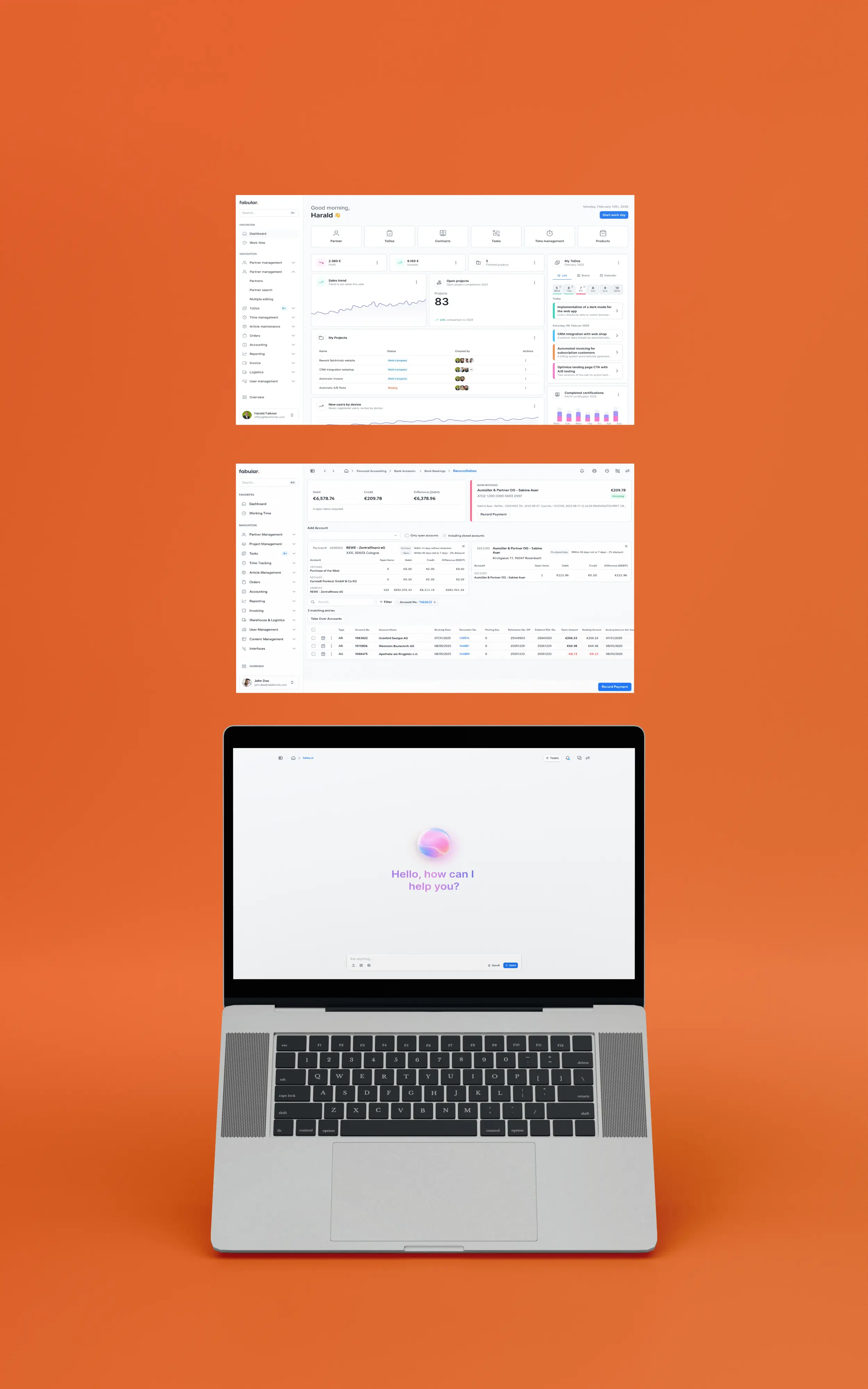
fabAI can now do far more than answer questions: via its own MCP server, fabular. acts as an OIDC provider, so any coding agent can log in securely and use fabular. tools and APIs directly. The AI no longer performs read-only actions but writing ones too – from creating a posting to filling in a form. This is complemented by an SQL vector store directly in your own database, full support for locally hosted models and self-generated custom pages that appear as their own menu item in fabular. The main beneficiaries are teams that want to automate processes or build their own extensions without relying on external dependencies.
Contract positions now show you significantly more at a glance: estimated quantity, contract price, daily exchange price and a calculated mark-to-market field are available directly at the split position. This is complemented by displayable base article numbers, a new free field for analysis frequency and noticeably better loading performance for large contracts with many dispositions. Sales and processing teams therefore keep track of prices, quantities and status at all times, even with complex, long-running contracts. The new overview pays off directly in agricultural trading with volatile exchange prices.
In financial accounting you can now assign conditions to a condition calculation group with a fixed sequence, allowing you to map multi-level price derivations where the result of one level becomes the starting value of the next. A new administration page keeps the assignment clear and manageable. At the same time, a new button for quickly repeating invoicing runs, a sortable open items table and a warning dialog for unposted entry lines noticeably speed up day-to-day work. This mainly benefits accounting and sales teams that map complex pricing models and create frequently recurring invoices.

Multiple selection has been disabled for program and policy registration; exactly one policy can now be selected per registration process. This prevents farmers and licensees from accidentally submitting duplicate registrations and simplifies the overall process.

The Package Manager has been refined: only configurations are now transferred, while transactional data is excluded. This ensures clean, predictable transfers between environments, prevents the accidental inclusion of transaction data, and makes deploying configurations safer overall.
The supplier field now remains empty by default when creating a new standard price, rather than pre-filling a potentially incorrect supplier. Additionally, the confirmation pop-up can now be operated using the Enter or Escape keys.
When creating a new standard price on the cover page, the supplier field now remains empty by default instead of being pre-filled automatically. This prevents accidental errors when the actual supplier has yet to be deliberately selected.
The Shop App has received significant performance improvements and now opens noticeably faster thanks to the new quick-start feature. You will especially notice this in your daily routine: the shop launches more quickly, the app is more responsive, and wait times are reduced. This means you can get straight to work without loading delays, keeping your workflow uninterrupted. These improvements run automatically in the background and require no action on your part.
When navigating back from a blog post to the overview page, your last scroll position is now restored, just like the existing behavior in the online shop's product grid. This helps readers get back to where they left off more quickly.
In currency management, you can now view historical exchange rates directly and maintain, filter, and display multiple rate types—such as ECB daily rates, cash rates, or customs valuation rates—for each currency and point in time. Furthermore, the entire currency GUI is fully customizable via UI configuration.
Error messages in the dunning run now include the open item reference as well as the account number and account name of the affected account. This allows you to identify and process incorrect open items in the dunning run much faster, without having to spend time researching them.
If the payment method for an open item is changed to direct debit in the open item clearing or booking journal, users will now receive a clear error message upon saving if no valid SEPA direct debit mandate exists. This prevents incorrect payment collections at an early stage.
When logging into the POS, the system now checks whether the previous day's cash reconciliation has been completed; if it is missing, a notification popup appears. Optionally, the POS can be configured to block new orders until the reconciliation is performed, ensuring that any cash discrepancies are identified early.
For goods movement items, the load carrier type is now automatically adopted from the packaging unit stored for the item and updates automatically if the packaging unit is changed. This noticeably reduces manual input and misassignments during goods receipt and goods issue.
Logistics instructions on transport orders now automatically appear in the language stored for the partner. Recipients abroad receive pickup and delivery instructions directly in their own language, eliminating the need for manual translation.
The fabular mobile app has been completely overhauled to make using it on the go much more convenient. New features include automatic login and improved authentication management, which noticeably simplify signing in and accessing the app. Overall, the app is now easier to manage—getting started is faster, and your daily tasks will flow more smoothly.
The fabular mobile app has been significantly improved: when you open the app, you are now logged in automatically, so there is no need to re-enter your credentials. In addition, authentication management has been overhauled, making it easier and more intuitive to manage logins and access. This saves time in your daily work and makes getting started with the app noticeably more convenient.
You can now specifically disable the automatic preselection of standard packaging during production picking, even if an item only has one packaging option. This ensures consistent behavior across items with multiple packaging options.
A new global configuration allows you to define which actions should have their planned end date automatically adjusted when the planned start date changes. This keeps the duration between the start and end dates constant without the need for manual updates.
A dedicated management interface for regulation types is now available in the Administration menu. Instead of maintaining regulation types indirectly or via workarounds, you can now manage them centrally and clearly.
With bulk editing, you can now recalculate questionnaires for multiple transactions simultaneously, regardless of their current status and even for transactions that have already been invoiced. This saves significant time when making retroactive corrections to large numbers of records.
The layout of menu items on the scanner can now be customized via UI configuration, allowing workflows to be processed in the desired order from left to right. This reduces operational errors during infrequent terminal-based goods movements.
The SID is now available as a dedicated search field in the inventory screen as well as in many other screens, such as Action, Tour, Role, Contract Type, or Interface. This makes it easier for administrators and support teams to quickly locate specific records using the database ID.
You can now search directly by internal ID in inventory orders and other screens, speeding up targeted record searches. Additionally, the item number is now visible in partial inventory orders.